Behind the design.
A Hong Kong pedestrian crossing, as sound: a signal, a button, and a tick I tuned by ear until it matched a recording. The story is mostly about sliders.
By Chuck Rice ·
Build the sound
The goal was to build the sound of a Hong Kong pedestrian crossing, not to sample it. I could have recorded one and looped it. I wanted every part of the tick to be something I could turn, so it is all Web Audio: sine and triangle oscillators, a burst of filtered noise for the click, and nothing downloaded. The page ships no audio file.
It also means the sound can be wrong in useful ways. When the tick was off I could say which part was off, instead of throwing the whole recording away. This is the one I was chasing:
Rule: build it from what it is made of, so you can change one thing at a time.
Listen to how it grew
Every stage below is replayed by the same synthesis code the lab uses, at the speed I had it then. I tuned by ear against a recording, one number at a time, and the quotes are what I said at each point. Headphones help.
- BeepWhere I started: a softened square wave at 2400 Hz. A beep, not a tick.
- ClickFiltered noise. The right rhythm, no body.
- WoodA sine that falls in pitch. Warm, but soft at the front.
- TickA short triangle with a noise attack. Crisp, a bit thin.
- BlendNone of the four was it, but "somewhere between wood and tick feels close". So I mixed them: 1600 Hz, 30 ms.
- Bell"More bell like." Two overtones at bell ratios that ring a little longer.
- Two strikes"Almost like I need 1300 as a base, and 1600 as the higher pitch to strike at the same time." So two notes, struck together.
- Three strikes"A deeper tone, maybe 700 for now, so a triplet." Three notes at once.
- Longer, retuned"120ms length, 1450 higher pitch", then "750 hz for that bass tone please". Longer, and the three notes nudged into place.
- Down a littleI gave the whole thing a pitch slider so I could match the recording by ear. "-1.15 feels closest."
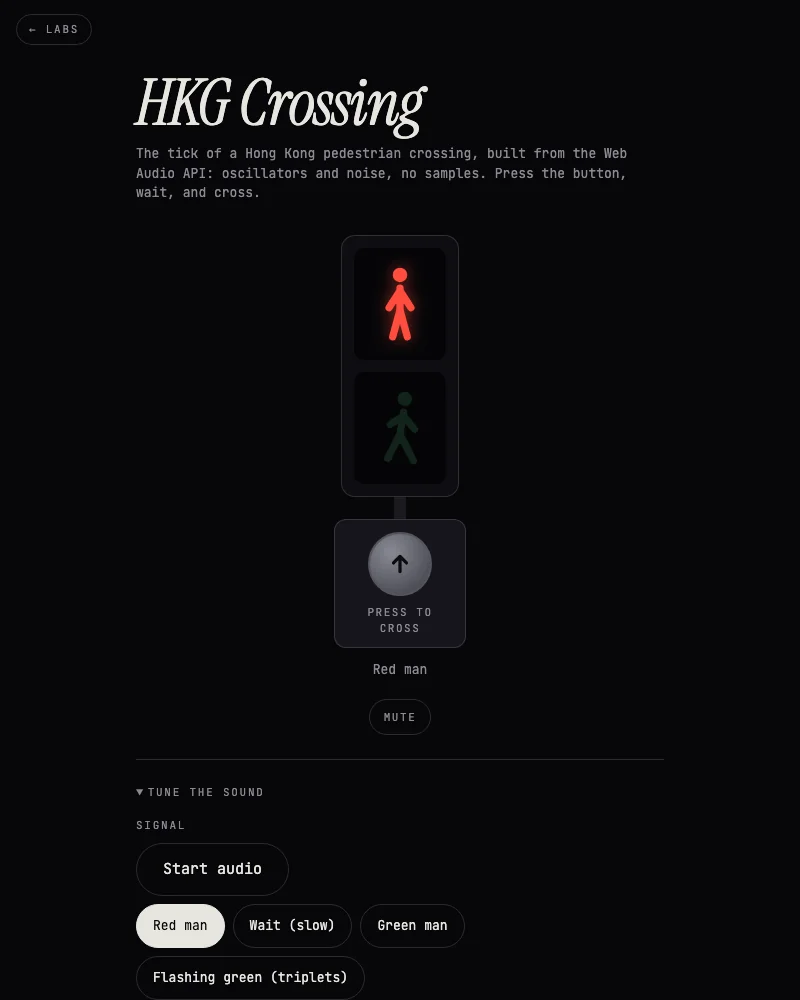
The tuning panel: every number I changed by ear is still in here. Open it with ?tune.
Rule: keep every step you can hear, and if you can't put a number in words, give yourself a slider.
The hollow box
I'd got the tone and the flaws, but the recording had a hollowness mine didn't: "the style in real recording has a hollowness or reverb to it". So the next two stages add the space. One is reverb from a generated room (fading noise, with the highs dying first). The other is a very short feedback echo, for the boxy, tube-like ring of a unit in a metal housing on a pole.
A 0.5 second room felt "very very close", and once it was in, the pitch wanted to go from -1.15 to -1.00. On my phone the reverb was a bit strong, so the level now sits at 0.2.
- Hollow and reverbA 0.5 second room and a short boxy echo: the metal box on a pole.
- SettledDown 1.00 semitone, the reverb eased to 0.2, green man at ten ticks a second.
Rule: the room is part of the instrument, so tune it with the room on.
Imperfection is authenticity
A perfect tick sounds like a test tone. A real unit has a speaker that has seen some weather. So I put the flaws back in after everything else was right: each tick differs a little from the last, with a slow drift in pitch, a small wobble per tick, a touch of detune between the three strikes, and the length, level and timing all nudged. One control sets the lot, default 0.5, and 0 gives you the machine-perfect version back.
Same sound, same settings, twice:
Rule: the flaws are the likeness.
A crossing, in order
A set of buttons wasn't enough, so the page is now the thing itself: a signal and a button. Press it and the red man waits on a slow tick, then the green man comes in fast at ten ticks a second, then it flashes in bursts of five with a pause, then back to red. The first order I tried was wrong and I fixed it from what I remember of the real one. The pause between bursts (0.71 seconds) was the one number I didn't have to touch.
The red man never goes silent: it ticks once a second, before and after your crossing, because that is how I remember them.
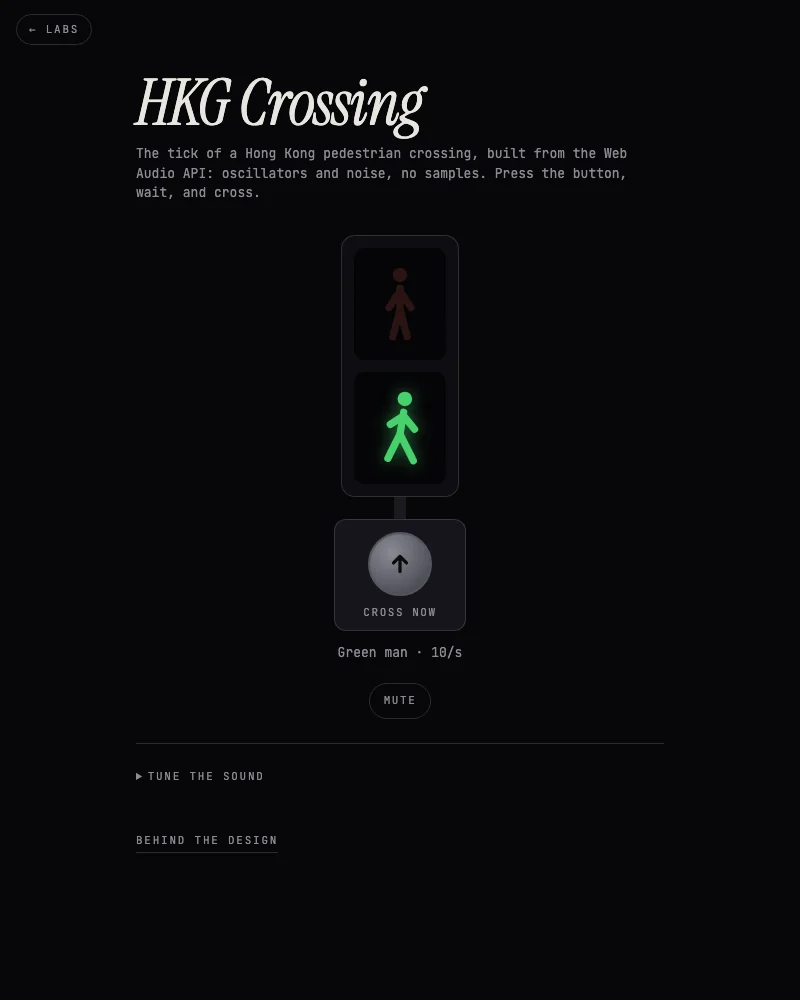
The green phase, previewed silently with ?phase=walk (also wait and clear).
Rule: ask the person who has heard it.
A street to watch
A lamp and a button were enough to carry the sound for a while, but a crossing is really about the people on it. So the page is now a small isometric Hong Kong street, drawn entirely in code with no image files, and it runs off every edge of the picture like a real street does: tenements with air-con units and neon signs, tall double-decker buses, red taxis and minibuses driving on the left, a plaza with trees and a dai pai dong, and a proper crowd. The push button floats at the bottom-left of the street. Press it and it plays out. The crowd gathers at both kerbs while the car lights go amber, then red. The scramble starts on the green man, the last few hurry on the flashing green, and the traffic pulls away when it's over.
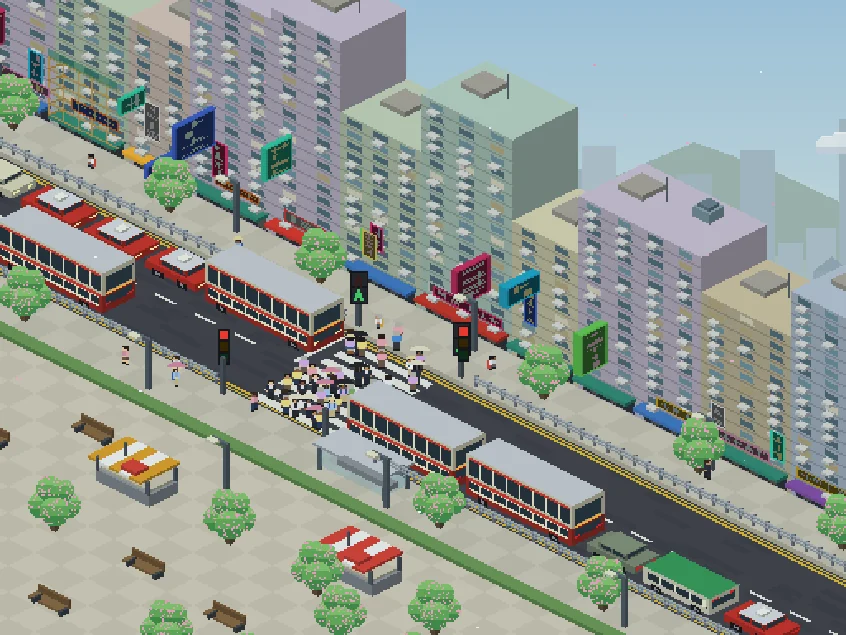
The green man: cars stopped at the lights, the crowd on the zebra. Preview any moment with ?phase=wait, walk or clear.
It follows your clock. Every six hours the street changes: a cool morning with a low sun, a warm bright afternoon, an evening from 6pm with the neon and windows lit and the headlights on, and a late night after midnight with a moon, stars, fewer cars and a thin crowd, quiet along with the sound. After midnight a lot of the street goes dark: some buildings switch off entirely, most windows go out and half the neon signs with them. Changes between looks fade rather than cut. Behind the towers sit Victoria Peak and two rows of hazy far towers, with clouds drifting past, and their windows light up at night too.
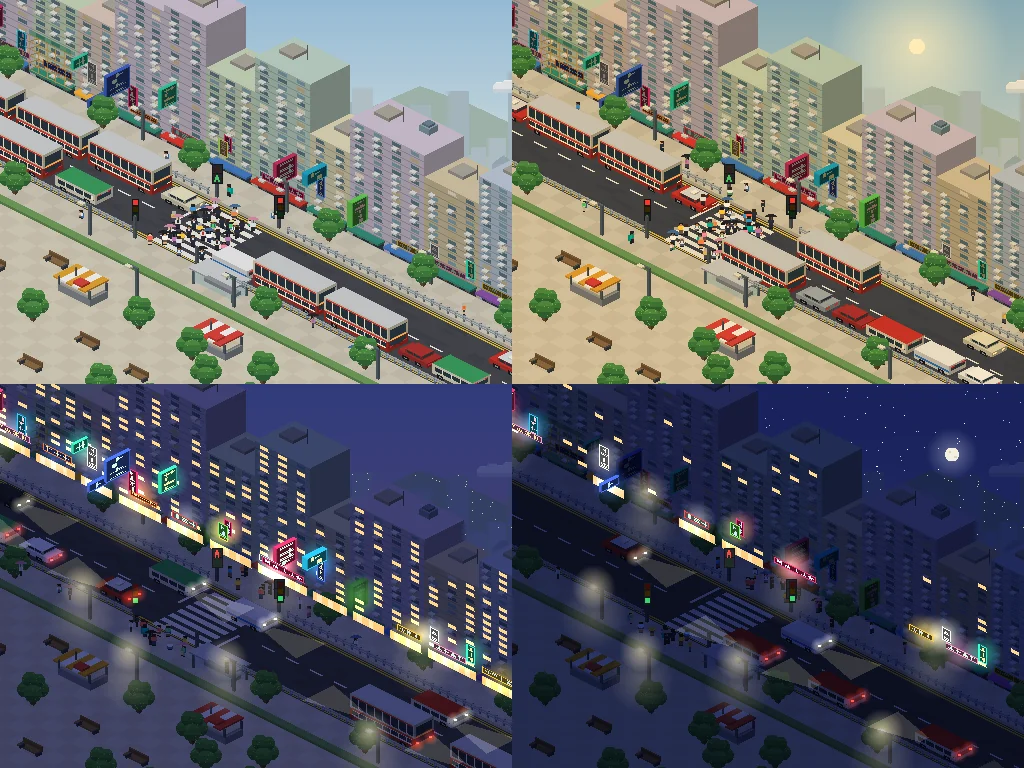
Morning, afternoon, evening and late night, in summer. Try ?hour=2.
It also follows the calendar. In spring the trees blossom and petals drift down, in summer the street is lush and people carry sun umbrellas, in autumn the leaves turn and fall, and in winter people wrap up, the trees thin out, and red lanterns go up on the buildings. The people change what they wear to match. Under the street there are Time and Season buttons, so you don't have to wait for the calendar to see any of it, and a Cycle button on each that runs through the looks: a new time of day every five seconds and, once a full day has gone round, the next season. They only change the picture: the sound's quiet hours still follow your real clock.
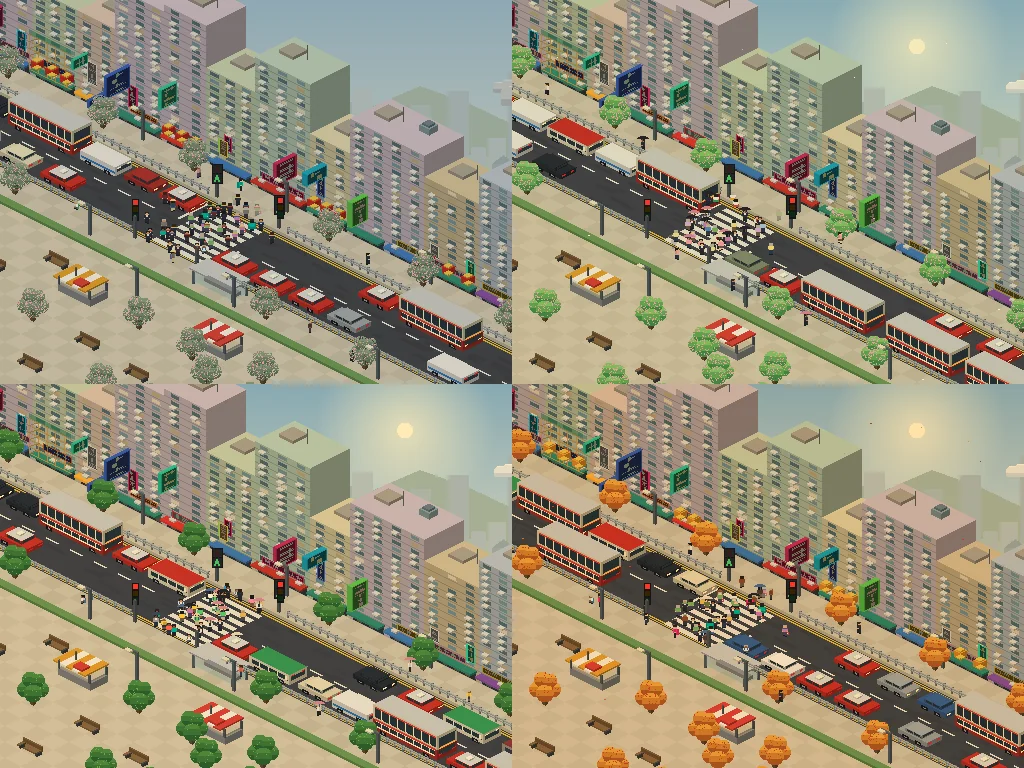
Winter, spring, summer and autumn at 3pm. Try ?month=4 (or ?season=autumn).
Rule: one clock for the sound and the picture, so they can't drift apart.
Quiet hours
From midnight to 6am, local time, it stays silent and says so. A sound built to help one person cross is noise to everyone sleeping above the road, so at night it gets the night off. There is a Mute button for the rest of the day. The level is also lower than my first version, which was louder than YouTube or a game running in another tab and would have been uncomfortable for a visitor: it now plays at 30% of that level, with no volume control to fiddle with.
The red man starts ticking as soon as the page loads, and keeps ticking between crossings. Most browsers keep audio silent until your first tap on the page, so there is a line saying so until it starts. ?hour=2 pretends it's 2am if you want to see the note.
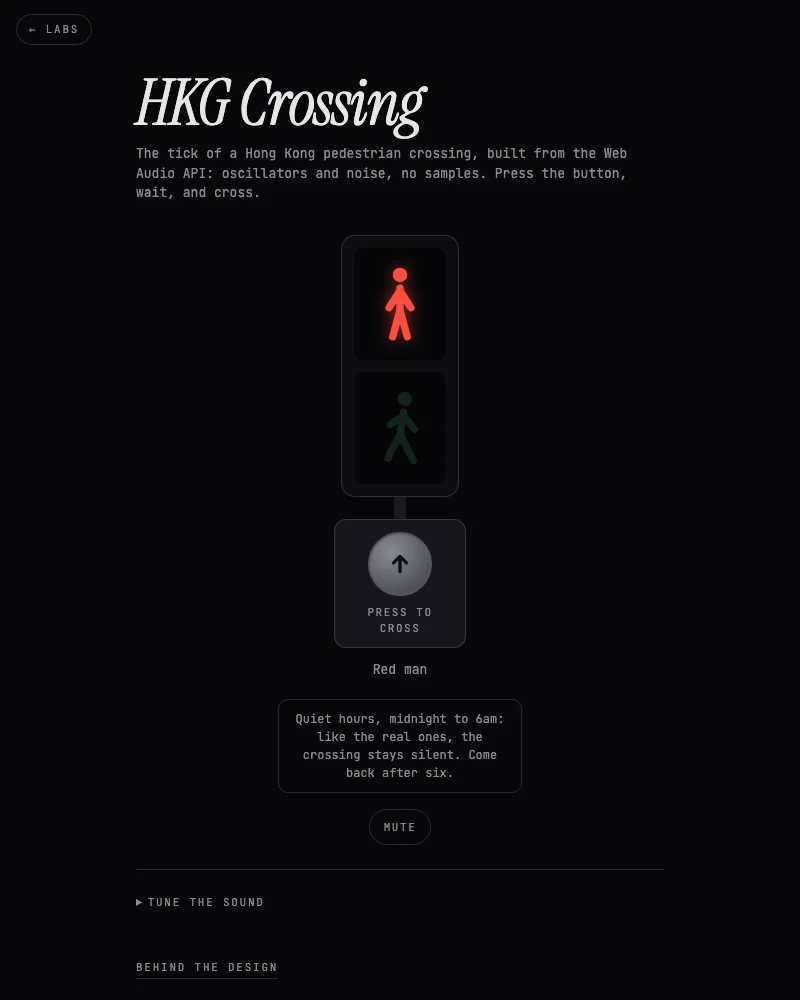
The night note. It appears on load and when you press the button.
Rule: a sound made to help one person is noise to everyone else, so give it a night off.
What I could and couldn't check
I built this with Claude, which can't hear any of it. The code and timing were checked in a headless browser: the phases run in order, ticks land 0.1 seconds apart inside a burst with a 0.71 second gap, and the red man ticks once a second. Whether it sounds right was my call by ear, against a recording, on my Mac, and then on my phone, where it works. The street was checked in a headless browser (the phases, the crowd gathering and crossing, the traffic stopping, the four times of day and four seasons) and has not been tried on a real phone yet.
It is a first pass. I want to refine it more, but it is good enough to share.
Rule: say who made which call.